




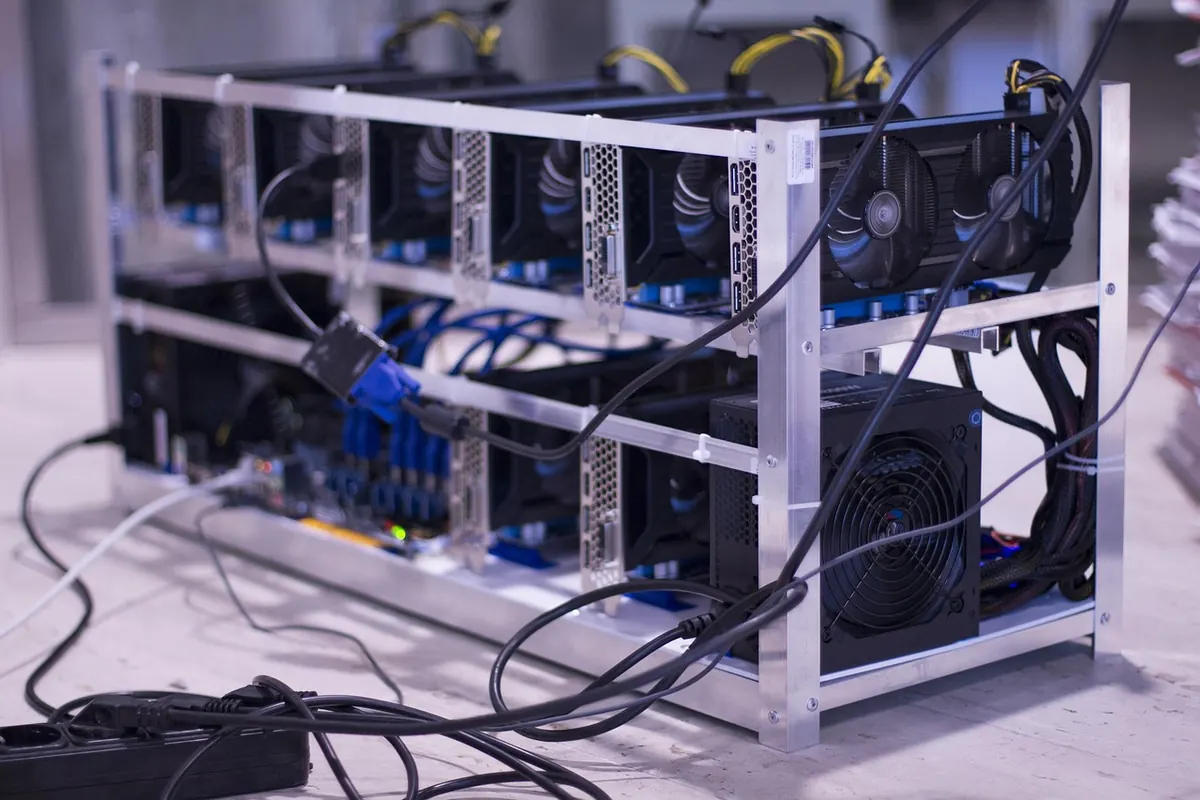
You can buy a desktop processor with sixteen cores and a graphics card with sixteen thousand. Both sit on the same motherboard and come out of the same kind of fabrication plants. Hand them the same job, though, and they behave like different species. That gap explains most of what AI hardware looks like: why training clusters are built the way they are, why memory capacity shows up on spec sheets before clock speed, and why a plain server CPU is still the right answer for plenty of workloads.
One Chip Decides Fast, the Other Decides Wide
A CPU is built around a small number of large, clever cores — four to sixteen on a typical laptop part, dozens on a server chip. Each one has a deep pipeline, out-of-order execution, branch prediction and several layers of cache. All that machinery answers a single question: what comes next, and can we start it before we know for sure?
That design assumes code is a chain of dependent decisions — a database picking an index, a compiler resolving a symbol, a scheduler assigning a task. These are latency problems. You want one thread finished as fast as possible, and you will spend a lot of silicon per thread to get there.
A GPU makes the opposite trade. Instead of a few big cores it has thousands of small ones, arranged in groups that execute the same instruction across many data lanes at once. A single thread on a GPU is slow and unremarkable. The trick is that there are enormous numbers of them, and each lane is cheap because it skips most of the cleverness. Where threads in a group take different paths through the code, the hardware serializes them — which is why GPUs dislike unpredictable branching.
Picture a CPU as a handful of experienced chefs who can each improvise a dish from whatever is in the fridge. Picture a GPU as a stadium full of cooks trained to make one motion in perfect unison. Ask the stadium to invent a sauce and you get chaos and a lot of wasted ingredients. Ask it to dice ten thousand onions and it finishes before the chefs have found their knives.
That stadium metaphor has a technical name. NVIDIA calls it SIMT — single instruction, multiple threads — and it works in units of 32 threads called a warp. Every thread in a warp executes the same instruction at the same time on different data. If half the warp needs to follow an if branch and half takes the else, the hardware runs both paths and masks off the inactive lanes. Nothing breaks; you just pay for work you didn't need. Dense, uniform arithmetic pays no such tax.
Why Matrix Math Is the Natural Fit
Almost everything a neural network does reduces to multiplied grids of numbers. In a transformer, the attention step multiplies query and key matrices, and the feed-forward block is two large matrix products stacked together. Convolutional networks do the same thing in a sliding window. Multiply a 4,096-by-4,096 matrix by another and you perform roughly 137 billion floating-point operations — and every single one of those operations is independent of every other. There is no chain of decisions to speculate along, no index to resolve, nothing to predict. Just arithmetic, repeated at phenomenal scale.
That is precisely the shape of problem a wide chip is built for. A CPU with vector extensions can chip away at the same matrix, but it is limited by how many instructions it can issue per cycle and how many operations it can keep in flight. A GPU can have tens of thousands of threads resident at once, so when one group stalls waiting on memory, another group is ready to issue immediately. Latency hiding by sheer thread count replaces latency reduction by clever prediction.
If your problem can be phrased as "do the same thing to a million different numbers," the hardware question is already answered. If it can't, no amount of parallelism will save you.
Bandwidth, Not FLOPS, Is Usually the Wall
The number that sells GPUs is floating-point throughput, but the number that limits them in practice is memory bandwidth. Every multiply needs operands, and fetching those operands costs energy and time. Engineers describe this with arithmetic intensity: how many operations you get per byte moved. High-intensity workloads stay compute-bound and fly. Low-intensity ones sit waiting on memory no matter how many cores you own.
This is why AI accelerators use exotic memory. A flagship data-center GPU pairs its silicon with stacked HBM running at several terabytes per second — an order of magnitude more than a high-end server CPU can pull from twelve channels of DDR5. It is also why model size matters so much: a large model's weights have to be streamed through those memory buses on every forward pass. If the model doesn't fit in accelerator memory, you spend your time shuffling weights over a comparatively slow interconnect instead of computing.
The same logic explains a few practical tricks. Quantizing weights from 16-bit to 4-bit cuts the bytes moved per parameter by four, which often speeds up inference far more than it slows down accuracy. Batching requests together raises arithmetic intensity, because one set of weights serves many inputs. And prompt processing, which handles the whole input at once, runs very differently from token generation, which produces one token at a time on a nearly idle chip.
Tensor Cores and the Cost of Precision
Modern AI chips go beyond general-purpose lanes and add dedicated matrix-multiply units — tensor cores in NVIDIA's language, matrix engines elsewhere. These units take small blocks of numbers and compute a fused multiply-accumulate in a single pass, with the intermediate results accumulated at higher precision than the inputs. The payoff is enormous throughput on exactly one operation: the one neural networks are made of.
The trade is precision. Training traditionally runs in 16-bit formats like BF16 with 32-bit accumulation, and inference increasingly runs in 8-bit or even 4-bit integers. Each step down roughly doubles the throughput and halves the memory traffic, at the cost of some numerical fidelity. Getting that trade right — fast enough to be economical, accurate enough to be useful — is a large part of what modern AI engineering actually is.
The CPU Is Still in Charge
It is tempting to conclude that GPUs have won and CPUs are obsolete. They haven't and aren't. A GPU cannot boot a machine, read a file, open a socket or launch its own kernels. Every accelerator sits behind a host processor that feeds it work, manages memory transfers and handles everything irregular about the program. In a training cluster you will find far more CPU cores than most people expect, precisely because data loading, tokenization, augmentation and checkpointing are all branchy, messy, sequential tasks.
There are also whole categories of inference where a CPU wins outright. A small model serving a trickle of requests on a laptop, a phone, or a factory floor has no batch to amortize, no matrix large enough to saturate a GPU, and no tolerance for the overhead of moving data across a PCIe bus. Retrieval, ranking, rule engines, feature pipelines and anything with heavy branching all remain comfortably CPU territory. Amdahl's law is unforgiving: speed up the parallel 90 percent by a thousand times and the remaining serial 10 percent becomes the entire story.
Beyond GPUs: NPUs and Purpose-Built Silicon
Between the general-purpose CPU and the general-purpose GPU sits a growing family of accelerators built for narrower jobs. Google's TPUs use systolic arrays — grids of multipliers that pass partial sums along like a bucket brigade — tuned for the specific tensor shapes of its own models. Consumer laptops and phones ship NPUs designed to run quantized models at a couple of watts, trading flexibility for efficiency. Some chips fuse CPU, GPU and NPU on one die so that data never has to leave the package.
The pattern is the same one that produced GPUs in the first place: when one workload becomes valuable enough and uniform enough, it earns its own silicon. Whether that ends with GPUs remaining dominant or with something more specialized taking over depends on how much the next generation of models still looks like matrix multiplication.
A Short Checklist for Choosing Hardware
- Is the work dominated by dense matrix or vector math? If yes, an accelerator will likely pay for itself.
- Is the arithmetic intensity high? If you move more bytes than you compute, memory bandwidth will cap you before compute does.
- Does the model fit in accelerator memory? If not, budget for multiple devices or sharding.
- Can you batch? A batch of one leaves most of a GPU idle; a batch of hundreds saturates it.
- Is the code full of branching and pointer chasing? That is CPU work, and moving it rarely ends well.
- What is the latency budget? Throughput and latency optimize differently, and interactive systems care about the second.
None of this is a permanent law of nature. Architectures keep borrowing from each other — CPUs gain wider vector units and matrix instructions, GPUs gain better scheduling and larger caches, and the boundary keeps moving. But the underlying division of labor is durable: one kind of chip is optimized for deciding quickly, the other for deciding widely. Knowing which problem you actually have is still the only reliable way to pick between them.
Photo: rebcenter-moscow / Pixabay
Related posts
More stories you’ll love reading